
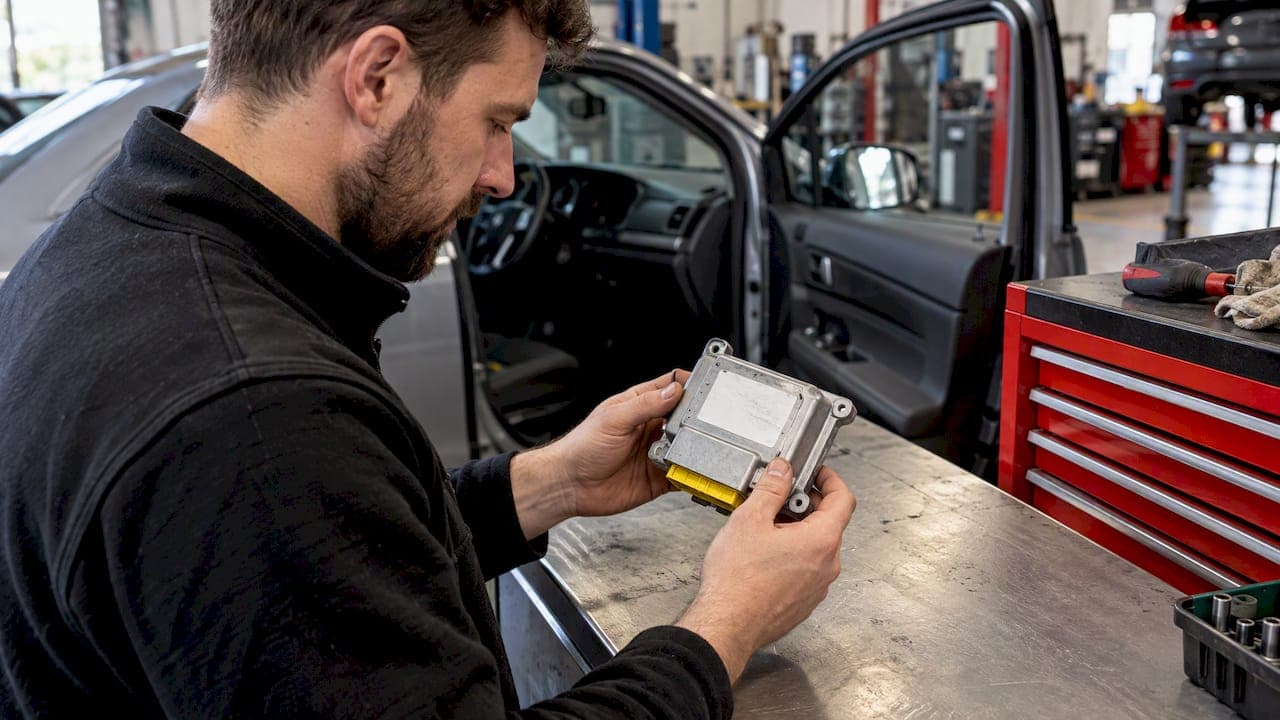
To identify an airbag module, find the control unit (usually under the front seats, the centre console or the dashboard), read the label on its casing without opening it, and record the full part number with every suffix. Then match that number against the vehicle's VIN, model year and equipment. The base number alone is often not enough, and a module that looks identical can be the wrong one.
This guide walks through that process in the order you would do it on the driveway, then explains what to send us if the module needs a crash data reset rather than a replacement.
TL;DR
- The airbag module (also called the SRS control unit or ECU) carries a label with the OEM part number and hardware and software identifiers. Read it without opening the case.
- Write down the whole number, suffixes included. A one-letter difference can mean a different market, software index or restraint setup.
- The registration is a quick start, but the 17-character VIN is more precise because it captures the build specification.
- A warning light only tells you the system has a fault. Read the fault codes before you decide the module is the problem.
- If the unit has been through a crash and is otherwise sound, a crash data reset often costs far less than a replacement. Our standard resets are £35 to £46.
Table of Contents
- What the airbag module actually is
- Step 1: Find the module
- Step 2: Read the label
- Step 3: Record everything, including suffixes
- Step 4: Match it to the vehicle
- Step 5: Check recalls before you assume a hardware fault
- Is it the module, or something else?
- Crash data reset or replacement?
- Our view: identify first, then decide
- What to send a specialist
- How our reset service works
- Safety points worth repeating
- FAQ
- Sources
What the airbag module actually is
The airbag module is the computer that listens to the crash sensors, decides whether to fire the airbags and pretensioners, and stores what it saw. After a collision it usually records crash data and locks itself out, which is why the warning light stays on even when the bags were never fired or have been replaced.
That is why identification matters. Whether you are buying a replacement, sending the unit for a reset or giving a garage the details, everyone needs to be talking about exactly the same part.
Step 1: Find the module
Location varies by make and model, but the usual places are:
- Under the centre console or handbrake area (very common)
- Beneath one of the front seats
- Behind or under the dashboard, near the heater controls
- In the footwell, behind a trim panel
We have a separate walkthrough on airbag module location with the checks to make before you touch anything. Your handbook or a model-specific service guide will show the exact spot.
Do this before you remove anything
Treat the unit as a live pyrotechnic control. Manufacturer procedures are strict about it. As one example, Mazda's service manual tells technicians to turn the ignition to LOCK, disconnect the negative battery cable and wait more than one minute before removing the control module. The same manual warns that checking an airbag module with an ohmmeter is unsafe and can cause accidental deployment.
Other makes have their own waiting times and steps, so follow the procedure for your vehicle. If you are not sure, do not remove the module yourself. A garage can read the label for you, or you can send us a clear photo and we will help.
Step 2: Read the label
An airbag controller normally has a label on its casing, commonly on the underside or the rear. According to Autoparts24's UK guidance on OEM numbers, it carries the OEM number plus hardware and software identifiers, and you should not need to open the unit to read it. If you can see the label only by prying the case apart, stop and ask for help.
What you will typically see:
| Label item | What it tells you | Why you record it |
|---|---|---|
| Main part number (OEM number) | The manufacturer's reference for the unit | The starting point for any match |
| Suffix letters or digits | Revision, variant or market | Can separate otherwise identical units |
| Hardware and software numbers | Internal versions | Not the same as the part number, so do not confuse them |
| Supplier name and date code | Who built it and when | Helps narrow down the build range |
| Barcode or serial number | Individual unit | Useful when talking to a specialist |
The guide linked above makes a point worth repeating: the longer OEM number should not be mistaken for a software number. Photograph the label from straight on in good light, then copy the number out by hand as well, so you can compare the two.
Step 3: Record everything, including suffixes
The common mistake is to write down only the first group of characters. Buyer's guides advise recording all the numbers on the label, including suffixes and manufacturer details, because small changes often point to a different market or restraint configuration.
Two examples from parts catalogues show why:
- On a Vauxhall/Opel Astra H, Autoparts24's listing says fitment can depend on the supplier variant, build range, passive-safety configuration and CAN configuration, and a replacement may need VIN programming.
- On VW Group units, Autoparts24 notes that software-index suffixes and the vehicle's SRS equipment can decide compatibility even when the base OEM number is the same.
So a module that looks the same, plugs into the same connector and shares the first digits may still not be the right one. Connector pin count and casing shape are secondary clues at best. Start with the full number and suffixes, then confirm the vehicle specification.
Step 4: Match it to the vehicle
The registration is often the quickest way in, but the 17-character VIN is more precise. Autoparts24 explains that the VIN captures the production specification, including model, engine variant, model year, plant and optional equipment codes.
Are airbag modules VIN-specific? Often, in effect, yes. Not every unit is locked to one VIN, but many are coded or programmed to the car, and the equipment fitted (number of airbags, side bags, seat occupancy sensing, pretensioners) changes which version is correct. Auto724's UK guide says versions can differ by software and equipment variant, including airbag count, so the OEM number on the removed module should be matched strictly rather than loosely.
A clean way to do it:
- Note the registration, VIN, model year, body style and engine.
- Note the full label number with all suffixes.
- Ask the seller or specialist to confirm that the number suits your VIN and equipment.
- Ask whether the replacement needs coding or programming after fitting.
That last point catches people out. Some new controllers arrive from the factory with soft coding of all zeros and, as the Ross-Tech wiki notes, need configuration and coding after installation to work in the vehicle. Our article on airbag module coding explains where that sits next to a crash data reset.
Step 5: Check recalls before you assume a hardware fault
Sometimes the airbag control unit needs new software, not new hardware. GOV.UK's vehicle recall service lists safety recalls where the unit is reprogrammed, as on its BMW iX 2021 recall page, and tells you to contact the manufacturer to find out whether your own vehicle is affected.
It costs nothing to check, and it is worth doing before you spend money on parts. If you want to see how a registration-based recall lookup works in practice, this guide on how to check an airbag recall by registration shows the idea. For a UK car, use the GOV.UK service and your manufacturer's dealer network.
Is it the module, or something else?
A lit airbag lamp does not mean the module has failed. It means the system has logged a fault somewhere. A proper diagnostic report can show whether the problem is a communication failure, an internal module fault, or another component such as a sensor or wiring. Auto724 makes the same warning: the light may instead be caused by a sensor or wiring fault.
The practical order is:
- Read the SRS fault codes with a scanner that supports the airbag system. A basic engine-only reader will not see them.
- Note the codes and whether they are current or stored.
- Check the obvious causes first: seat connectors under the front seats, a disturbed clockspring, a low battery, a recent seat or trim job.
- Only then consider the module itself.
We cover this in more depth in airbag diagnostics steps to avoid buying a new module, and the airbag warning light page lists crash and no-crash causes. If the light stays on after you have cleared codes, see why an airbag light won't clear. A light with no stored codes is a different case again: airbag light with no codes.
Typical code families that point at the module itself are crash data stored, internal fault, self-test failure and power supply faults. See UK airbag self test failure and airbag module power fault for how those present.
Crash data reset or replacement?
After a collision, the module has often stored a crash record and refuses to clear. Many owners are quoted for a new unit plus coding. That is sometimes necessary, and sometimes it is not.
Honesty matters here. Some specialists caution that units whose internal parts have physically changed in a deployment should not be treated as simply resettable. We agree with the principle. A module that is physically damaged, water-damaged or failing internally for other reasons needs replacing, and we will tell you so. Where the original unit is sound and the lock is only stored crash data, resetting it can be safe and much cheaper, and it avoids buying a replacement that then needs VIN coding.
Our view: identify first, then decide
We see the same pattern every week. A customer has bought a second-hand module off a listing because the first few characters matched, fitted it, and found the light still on because it was the wrong variant or was never coded to the car. The money was gone before anyone asked what the original unit actually needed.

Our advice, from technicians with over 40 years of combined experience, is to identify the original module properly and ask whether it can be reset safely before you buy anything. Most of our jobs are original units that simply carry stored crash data. We would rather you send a photo of the label and hear "this one resets, here is the price" than spend three times that on a part you did not need.
That is also why we help with identification by WhatsApp or phone. A good photo of the label, the registration and a note of the fault codes is usually enough for us to tell you what we are dealing with. If a unit is not suitable for reset, we say so up front.
— John
What to send a specialist
For the fastest, most accurate assessment, gather the following. This is the same list a parts specialist would ask for: the full part number with every suffix from the label, the VIN, model year and body style, a photograph of the label and the diagnostic trouble codes.
- Registration and VIN
- Make, model, year, body style
- Clear, straight-on photo of the label
- Full part number typed out, with suffixes
- Fault codes, if you have them
- A short note of what happened (crash, no crash, after battery work, after seat removal)
If you cannot identify the part yourself, send what you have and we will work from the photo or the registration.
How our reset service works
We run a UK-wide postal service for cars, vans and motorhomes. You post us the module, we reset the crash data, and most modules received in the morning go back the same day. Pricing is fixed and published:
| Service | Price |
|---|---|
| Airbag module reset | £35 to £46 |
| Motorhome airbag reset | £65 |
| Mobile airbag reset | From £75 |
If you have a genuine like-for-like quote that is cheaper, we will price match it. Garages, bodyshops and mobile technicians can apply for a trade account with discounted rates; our guide to technician workflow for garage airbag resets shows how it fits into MOT preparation.
If your car is on our make pages, such as the Audi A4 or BMW E9X, you will find model-specific detail there. Otherwise, send us the label photo and registration via Airbag Reset UK.
Safety points worth repeating
- Never probe a module or its connectors with a multimeter or ohmmeter. Manufacturer guidance treats it as a deployment risk.
- Disconnect the battery and allow the manufacturer's waiting time before unplugging any airbag component.
- Do not open the module case to read an internal marking.
- If a bag has fired with no crash, do not keep driving and testing. Read about airbags deploying without a crash and see a qualified technician.
- A car with a lit airbag light may fail its MOT and, more importantly, may not protect you in a crash. Treat it as a safety fault.
FAQ
How can you tell if your car has airbags?
Look for "SRS" or "AIRBAG" moulded into the steering wheel centre, dashboard and seat sides or pillars. The airbag warning lamp also lights briefly when you switch the ignition on. Your handbook lists exactly which airbags are fitted.
Are airbag modules VIN-specific?
Many are, in effect. Parts catalogues show that fitment can depend on VIN, build range and equipment, and some replacements need VIN programming. Always give the full label number and your VIN when buying or enquiring.
Can I identify the module from the registration alone?
It is a sensible first step, but the VIN is more precise. The registration will not confirm optional equipment or suffix variants, so check the physical label as well.
Do I need to remove the module to read the label?
Sometimes you can see it with a trim panel or seat moved, but removal should follow the manufacturer's procedure, with the battery disconnected and the correct waiting time. If you are unsure, send us a photo or ask a garage to read it for you.
Sources
- Autoparts24: What is an OEM part number and how do you find it
- Autoparts24: 93197173 airbag control unit
- Autoparts24: 1C0909605A airbag control unit
- Auto724: airbag control units for cars in the UK
- Airbag control unit buying guide
- Mazda 2008 to 2010 air bag system manual
- GOV.UK: BMW iX 2021 recalls
- Ross-Tech Wiki: Airbag coding